Guide
Building multisample programs for vintage Akai samplers
Updated 2026-08-20
How Akai thinks
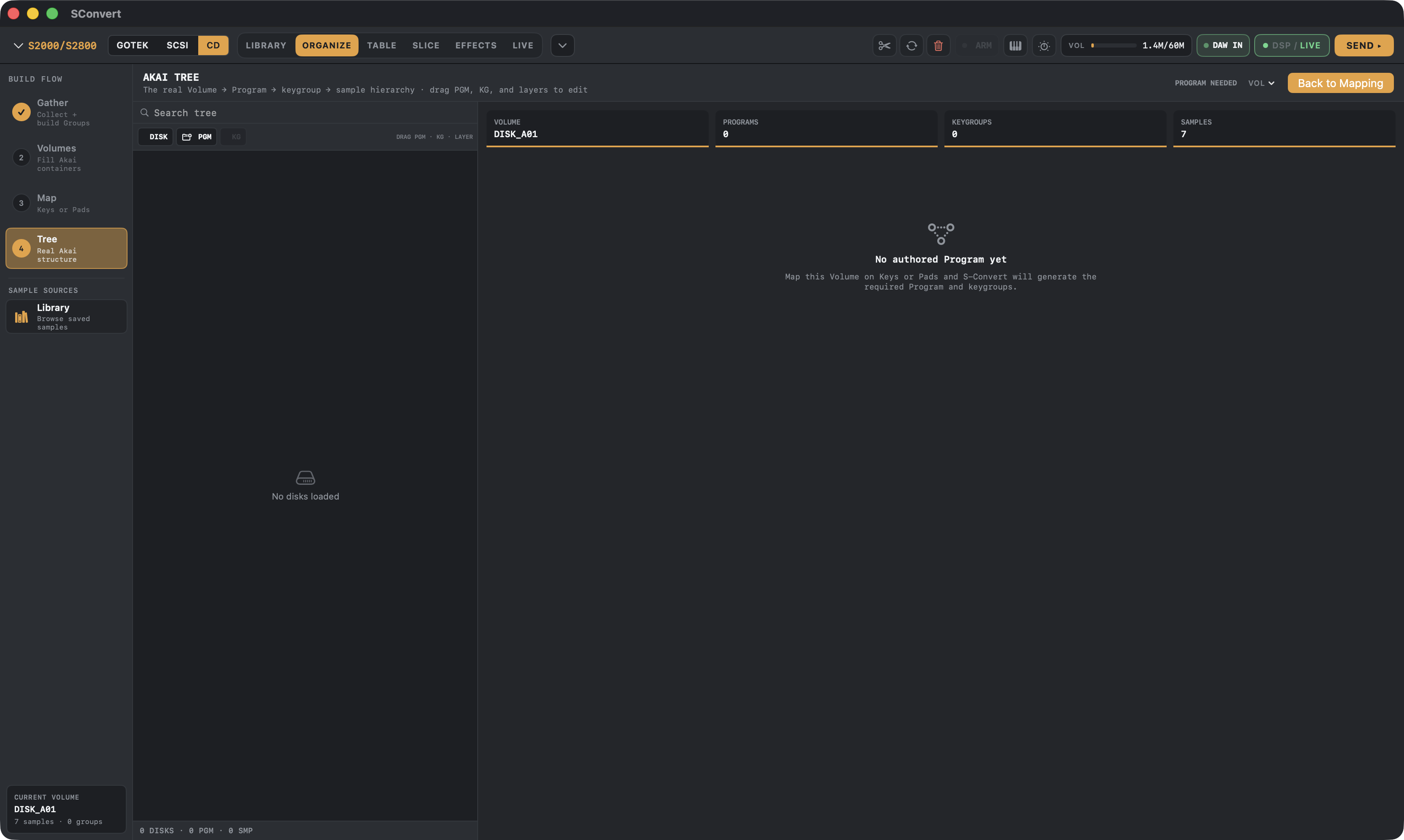
Every Akai sampler from the S1000 on organizes sound in a strict tree: a disk holds Volumes, a Volume holds Programs and samples, a Program holds Keygroups, and each Keygroup spans a key range with up to four velocity layers pointing at samples.
Multisampling means placing many recordings of an instrument across that tree so every key plays a nearby recording. Done by hand on the sampler's front panel, it's an evening. Done on a Mac, it's minutes.
Phase by phase
Gather: pull your source samples into a named group — from watched library folders, a SoundFont, an EXS instrument, or slices you just cut. S-Convert reads root notes from metadata where they exist.
Volumes: samples are packed into Akai volumes against the real capacity limits of your target model. The plan is preview-only until you apply it, and applying is atomic — no half-built volume states.
Map: lay the group across keys or pads. Key ranges, root notes and velocity layers are all editable, and layer counts respect what your target sampler actually supports.
Tree: the endgame view is the real Volume → Program → Keygroup → layer hierarchy. Drag keygroups between compatible programs, reorder, and S-Convert refuses structurally invalid moves rather than writing a disk the sampler will reject.
Model limits worth knowing
Sample rates cap at 44.1 kHz on the S1000/S1100 and 48 kHz on the S2000/S3000 family; the S900/S950 are 12-bit machines with their own packed format. S-Convert applies the right ceiling per model and keeps your source rate when it already fits, which saves precious sampler RAM.
Preview honestly: the vintage preview keyboard emulates each model's filter and level behavior on the Mac, so what you audition is close to what the hardware will play.
S-CONVERT
S-Convert does everything in this guide from one app — import, build, map, and write sampler-ready media.