Guide
Building Akai MPC keygroup programs (XPM) from any sample library
Updated 2026-08-21
XPM is Akai's own format again
The MPC Live/One/Force line uses a keygroup program format (.xpm) that's a direct descendant of the same Akai lineage as the S1000/S3000 — which is part of why S-Convert, built around understanding that lineage, handles it well. If you've got a sample library sitting in another format and want it playable as proper multisampled keygroups on an MPC rather than one-shots slapped across pads, this is that path.
What you can start from
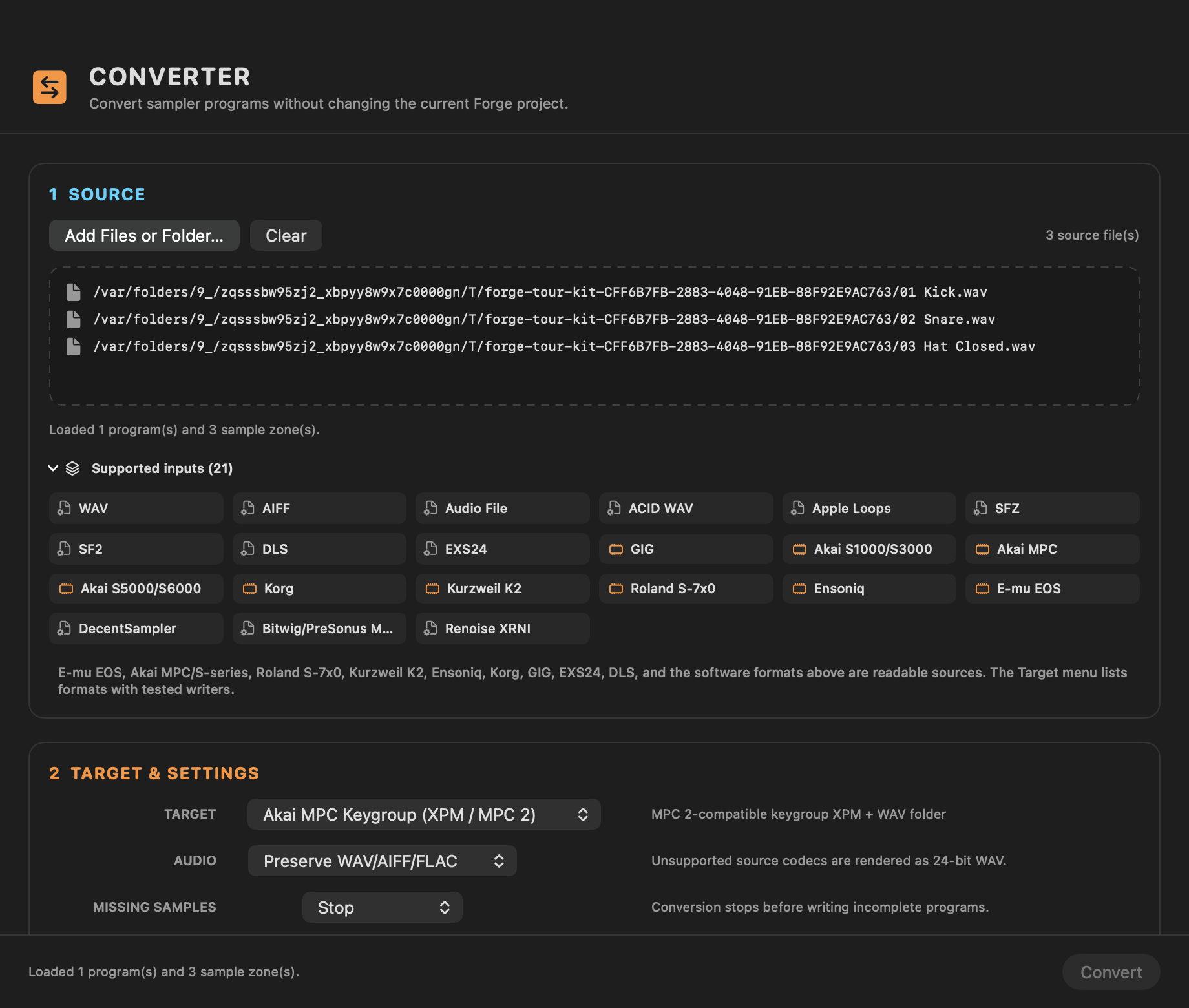
S-Convert imports WAV, AIFF, FLAC and other common audio; SoundFont 2 and DLS; SFZ and DecentSampler presets; Logic EXS24; GigaSampler; disk images from Akai, Roland and Ensoniq samplers; and E-mu EOS CD-ROMs and E4B/E3B banks. Whatever the source, the goal is the same: preserve key ranges, root notes and velocity layers rather than flattening to unmapped samples.
Mapping for velocity layers
If your source already has velocity layers (a multisampled SoundFont or EXS24 instrument, for example), they carry through. If you're starting from a flat folder of one-shots, S-Convert's mapping tools let you lay them across a keyboard and stack velocity layers manually before exporting — the same mapping work you'd otherwise do by hand in the MPC's own editor, done faster on a Mac keyboard and mouse.
Getting it onto the MPC
Export produces .xpm program files plus their referenced samples. Standalone MPCs (Live/One/Force) read these straight off a USB drive or their internal storage — copy the program folder over and it shows up in the MPC's program browser like anything built natively on the machine.
S-CONVERT
S-Convert does everything in this guide from one app — import, build, map, and write sampler-ready media.