Guide
Getting samples off an Akai S1000/S3000 and back onto your Mac
Updated 2026-08-21
The other direction
Most Akai guides — including the others on this site — cover getting samples onto a sampler. But a lot of what's sitting on old Akai media is unique: one-off multisamples, a hardware sampler's own resampled loops, a library you never bounced anywhere else. Getting it back is its own problem, and it splits into two steps: turning the physical media into a disk image file, then reading that image's actual Akai structure — not just raw audio — back into something usable.
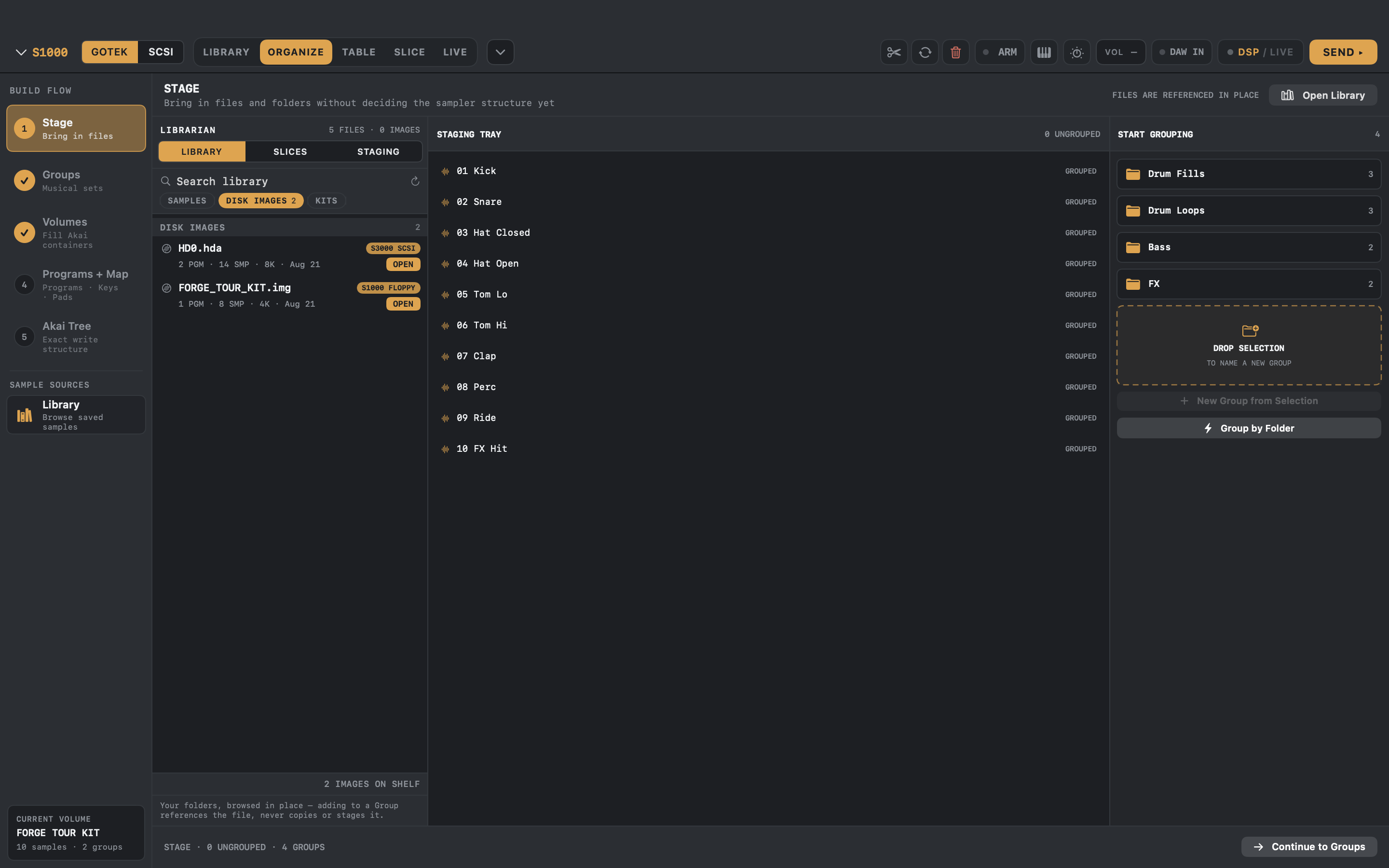
S-Convert handles the second step directly: it reads .img, .hda, .hfe and .iso Akai disk images and unpacks the real Volume → Program → Keygroup tree, not just a folder of samples with no idea which key they belong on.
CD-ROM: the direct route
If your source is an Akai sample CD from the S2000/S3000-CD-ROM era, S-Convert images it directly — put the disc in any drive attached to your Mac and S-Convert reads it straight in. This is the one path here that doesn't need separate imaging hardware.
Floppy and SCSI: image the media first
For floppies and SCSI drives, S-Convert reads the image file (.img/.hfe for floppy, .hda for SCSI) — it doesn't talk to a physical floppy or SCSI bus itself, because modern Macs don't have either. If you're already running a ZuluSCSI/BlueSCSI or Gotek on the sampler, this is trivial: pull the .hda or .img straight off the SD card or USB stick and hand it to S-Convert.
If the samples are still on genuinely original 30-year-old media that's never touched an emulator, you need a separate imaging step first: a floppy controller like a Greaseweazle or Kryoflux for the disk, or a SCSI-to-image tool (a ZuluSCSI/BlueSCSI board can usually image an existing drive onto its SD card, not just emulate one) for the drive. Once you have the image file, S-Convert takes it from there.
What you actually get back
Because S-Convert parses the real Akai format rather than just extracting raw sample data, importing a disk image gives you back full programs: keygroups, key ranges, velocity layers, tuning, and loop points, not a folder of anonymously-named WAVs. From there it's a normal S-Convert library — audition it, reorganize it, or convert it onward to SFZ, DecentSampler, MPC XPM, or a different Akai model's disk format entirely.
Model coverage
Tested and proven for Akai S1000/S3000-family images; S5000/S6000, Roland S-7x0 and Ensoniq EPS/ASR image reading are in beta and still being confirmed against real hardware. E-mu splits three ways: EOS CD-ROMs and E4B/E3B banks import in full; Emulator III/IIIx and ESI CD-ROMs are catalogued down to individual preset names but their audio is not extracted yet; and E-mu hard disks, Emax and Emulator II media are recognised but refused rather than imported silently. If an image won't import cleanly, send it over — that's exactly the kind of report that gets a format fixed fast.
S-CONVERT
S-Convert does everything in this guide from one app — import, build, map, and write sampler-ready media.