Guide
ZuluSCSI + Akai S3000: complete setup guide
Updated 2026-08-20
What you need
An S3000-family sampler (S2800/S3000/S3200/XL all behave the same here), a ZuluSCSI board with the right connector for your machine (internal 50-pin ribbon or external Centronics/DB25), an SD card, and S-Convert on your Mac to build the drive images.
Step 1: pick SCSI IDs
Every SCSI device on the chain needs a unique ID from 0–7. The sampler itself claims one (typically 6 or 7 — check GLOBAL/SCSI settings). Give the emulated drive any free ID — in our testing the Akai was happiest with ID 5, which is also S-Convert's default.
Terminate the end of the chain — ZuluSCSI boards have termination enabled by jumper or switch. One un-terminated chain causes 90% of 'drive not found' mysteries.
Step 2: build the drive image on your Mac
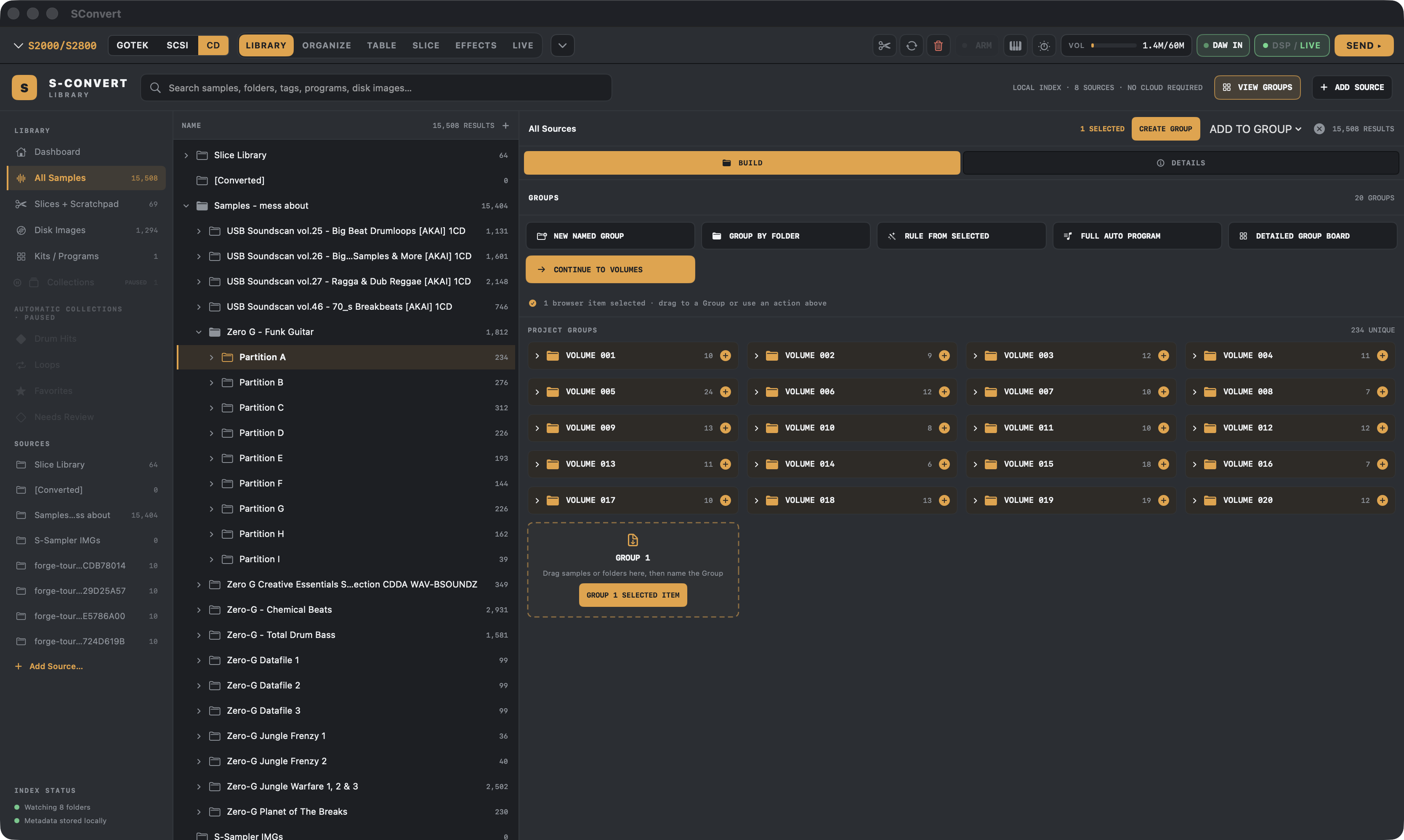
In S-Convert, stage your samples, build programs in the four-phase workflow, choose the S3000 target with SCSI media, and export. You get an .hda image — multi-partition if your library needs it, auto-packed against Akai's per-partition limits.
Copy it to the SD card named for your chosen ID (HD5.hda for ID 5).
On card layout: an SD card can technically hold multiple images at different SCSI IDs, but switching between target drives from the Akai side isn't straightforward, and in our testing the sampler was happiest talking to one drive at ID 5. The cleanest setup we've verified: one SD card, one 510 MB image as HD5.hda, with multiple partitions and volumes inside it — you cycle between volumes right on the sampler, and S-Convert packs them all into that single image for you. Other layouts may work; this one just works.
Step 3: boot and load
Insert the card, power the sampler on. In DISK mode the S3000 lists the emulated drive's partitions and volumes; load a volume and your programs appear with keygroups, tuning and loops already set — that structure came from the image, not the sampler.
Alternatives and extras
PiSCSI/RaSCSI users: load the images onto your Pi the way you normally do. And if you're flashing a new ZuluSCSI board, S-Convert includes a firmware flasher — plus ZBridge, our experimental USB-C bridge that loads samples straight into S3200XL RAM with no disk at all.
S-CONVERT
S-Convert does everything in this guide from one app — import, build, map, and write sampler-ready media.