S900 · S950 · S1000 · S1100 · S2000 · S3000 · S5000/S6000
Your samples, on real Akai hardware.
S-Convert turns modern sample libraries into native Akai programs and disks — chop, build, map, and export sampler-ready media from a modern Mac. No vintage computer required.
One-time purchase · 2 Macs · beta pricing for a limited time
The beta intro: what S-Convert does, in the current interface.
Free trial
Try S-Convert with your own samples.
Explore the full app for 14 days from your first launch on this Mac. Get a free trial key, download S-Convert, and try your sampler workflow. No automatic charge at the end.
Try free for 14 daysmacOS 14 or later · Apple Silicon
What it is
The missing link between your Mac and a 30-year-old sampler
Vintage Akai samplers — the S900, S950, S1000, S1100, S2000, S3000 family and the S5000/S6000 — read floppy disks, SCSI drives and CD-ROMs in Akai's own native formats. Modern Macs read none of that, and no DAW exports it. S-Convert is a native macOS app that closes the gap: it imports the formats you actually have (WAV, AIFF, SoundFonts, SFZ, EXS24, MPC programs, even disk images from other vintage samplers) and writes real Akai programs, keygroups, volumes and disks.
The output goes wherever your hardware wants it: floppy images for a Gotek drive, SCSI hard-drive images for ZuluSCSI, BlueSCSI and PiSCSI setups — or straight into the sampler's RAM over USB-C with ZBridge. Chop a break, map a multisample, pack the volumes, load it on the machine. What used to take an evening of front-panel button pushing takes minutes.
The four-phase workflow
From folder full of WAVs to a structured Akai disk
Gather
Collect samples from your library and build named groups — straight from watched folders, no copying.
Volumes
Fill real Akai containers. Auto-pack safely against true capacity limits, preview the plan, apply atomically.
Map
Lay samples across keys or pads, with velocity layers that respect the target sampler's limits.
Tree
Edit the real Akai structure — Volume → Program → Keygroup → layer — with drag-and-drop that refuses unsafe moves.
Chop
Chop breaks like it's 1997, at 2026 speed
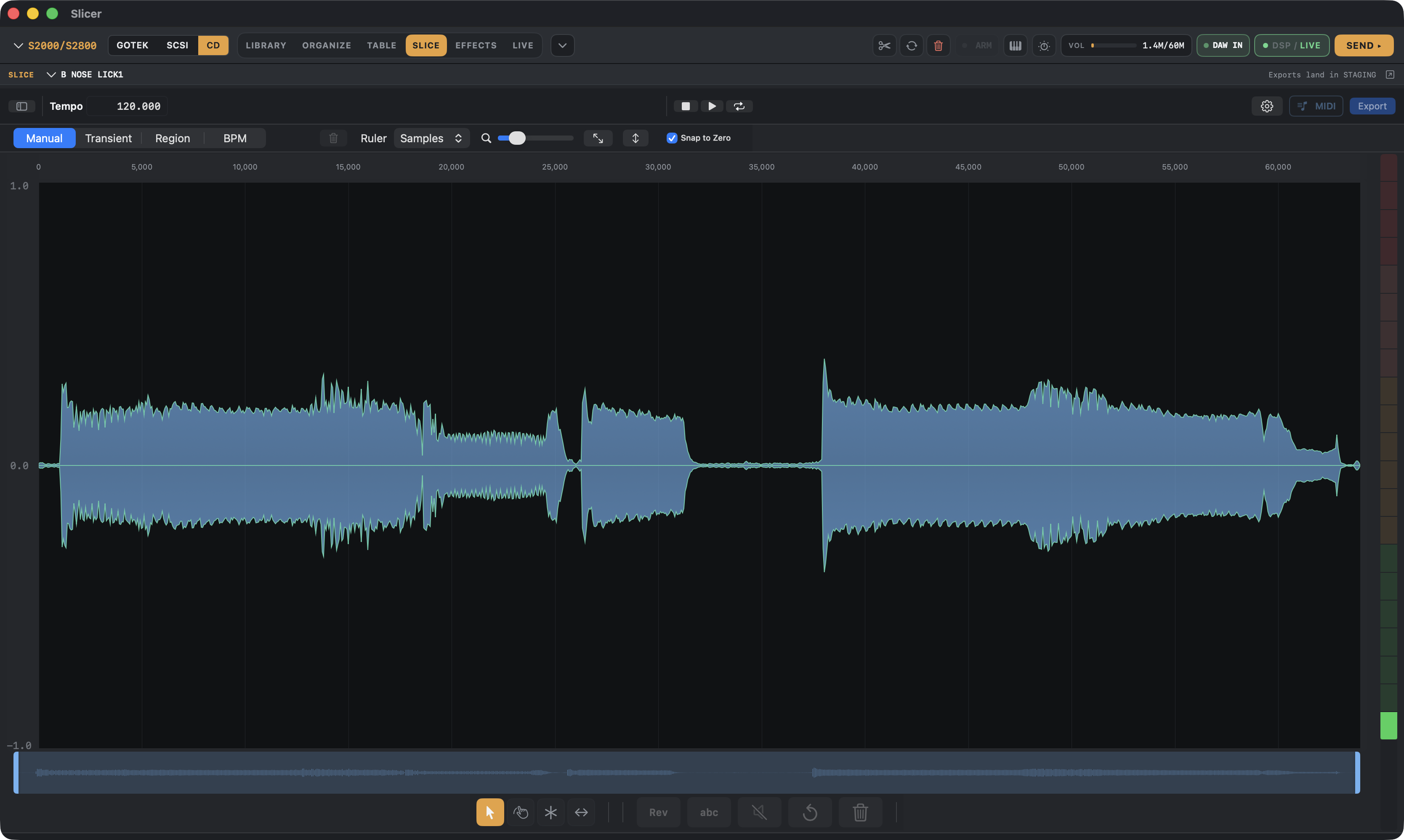
The built-in slicer chops loops and phrases by transient, region, grid or by hand — with zero-crossing snap so the clicks stay out. Audition every hit, then send the chops straight into an Akai program: pads on the sampler, minutes after the chop.
Watch: slicing an audio file and exporting to the Akai S1100.
Library
Your whole collection, staged for the sampler
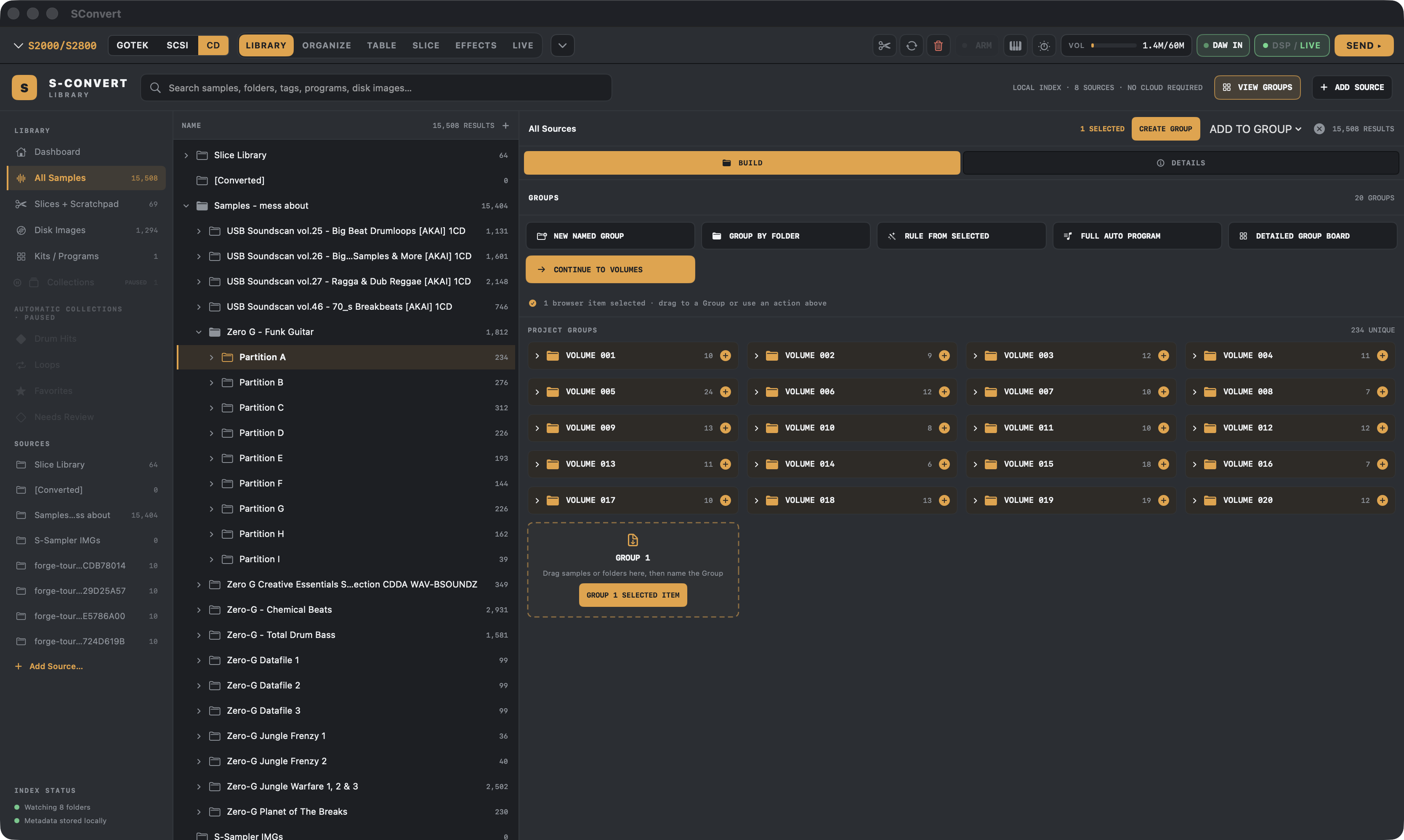
Point S-Convert at your sample folders and it indexes everything locally — search, tag, rate and audition tens of thousands of samples, then drag whole folders into Akai volume builds without copying a single file.
Console FX
Dial in the sampler's FX on a real screen
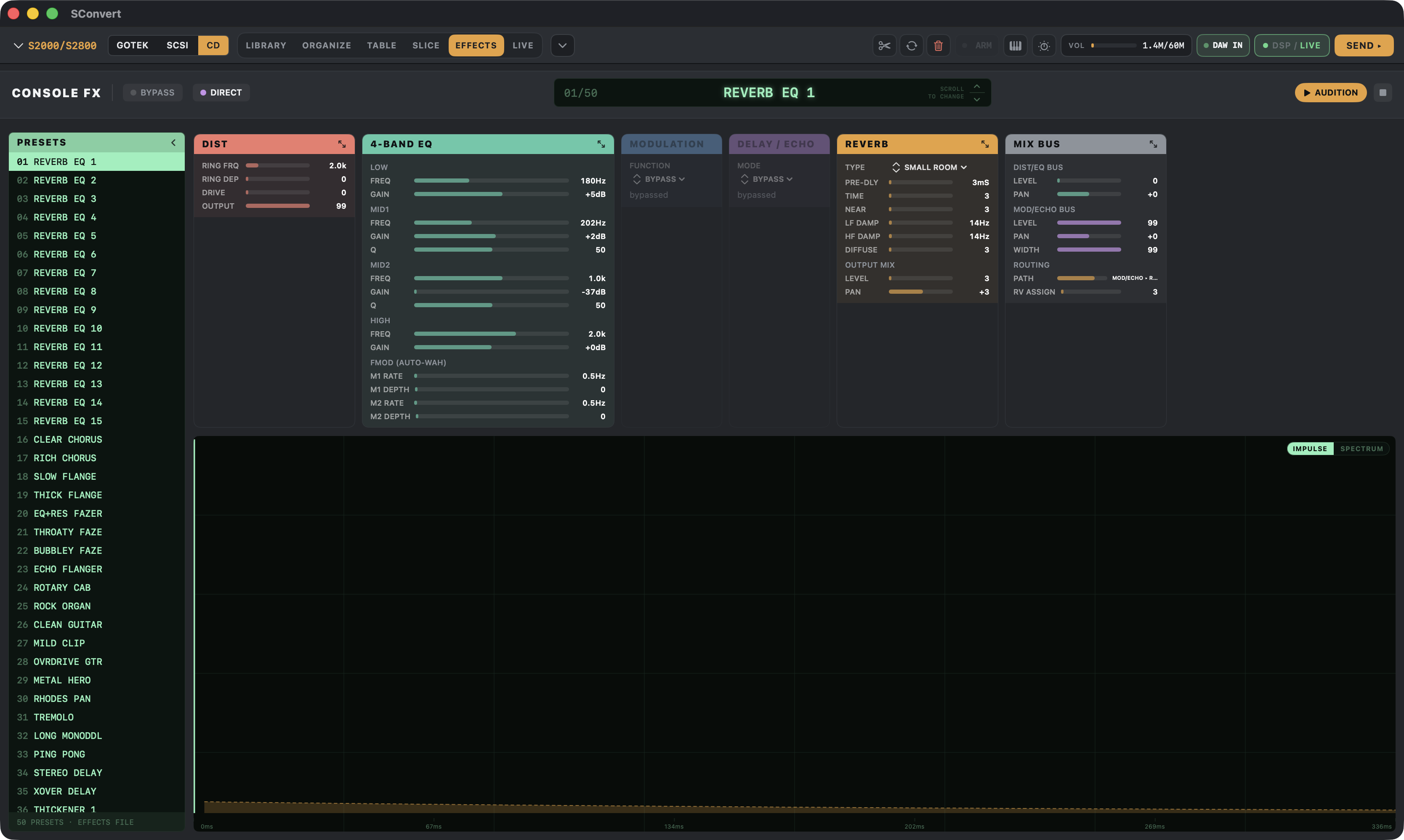
Stop squinting at a 30-year-old LCD. Console FX lays out the sampler's effect settings — EQ, distortion, modulation, delay/echo and reverb, with a 50-slot preset list — on your Mac, every parameter visible at once. Built-in DSP gives you a preview of roughly what it'll sound like while you dial it in.
New — MPC support
Your MPC gets the same treatment
Fresh in the beta: S-Convert now writes native kits for classic Akai MPCs — real SND + PGM programs for the MPC60, MPC3000 and MPC2000/XL, complete with the media they load from (Gotek floppy images for the 60 and 2000XL, a ZuluSCSI Zip image for the 3000), WAV + PGM folders for the MPC1000 family, and keygroup XPM for modern MPC 2 machines.
Honest label: this support is brand new and no MPC output has been loaded on a real MPC yet. If you own one, your test reports are gold — tell us what loads.
- MPC60 / MPC60-IISND + PGM kits · 800 KB Gotek floppy image
- MPC3000SND + PGM kits · ZuluSCSI Zip image
- MPC2000 / MPC2000XLSND + PGM kits · 1.44 MB Gotek floppy image
- MPC1000 / MPC2500 / MPC500WAV + PGM folders
- MPC 2 / modernKeygroup XPM + WAV folder
Beta — other samplers
35 more sampler families, in beta and untested on hardware
The same build workflow now writes native banks, disk images and sample sets for samplers from E-mu, Ensoniq, Roland, Yamaha, Korg, Kurzweil, Casio, Fairlight, Sequential, Oberheim and Peavey. Every one of them is software-verified: the output reopens in S-Convert and in independent tools like ConvertWithMoss and HxC.
None of it has been loaded on the real machine yet. Treat these formats as beta, work from backup media, and send a report if you try one — that is how a row gets promoted.
See every format and its status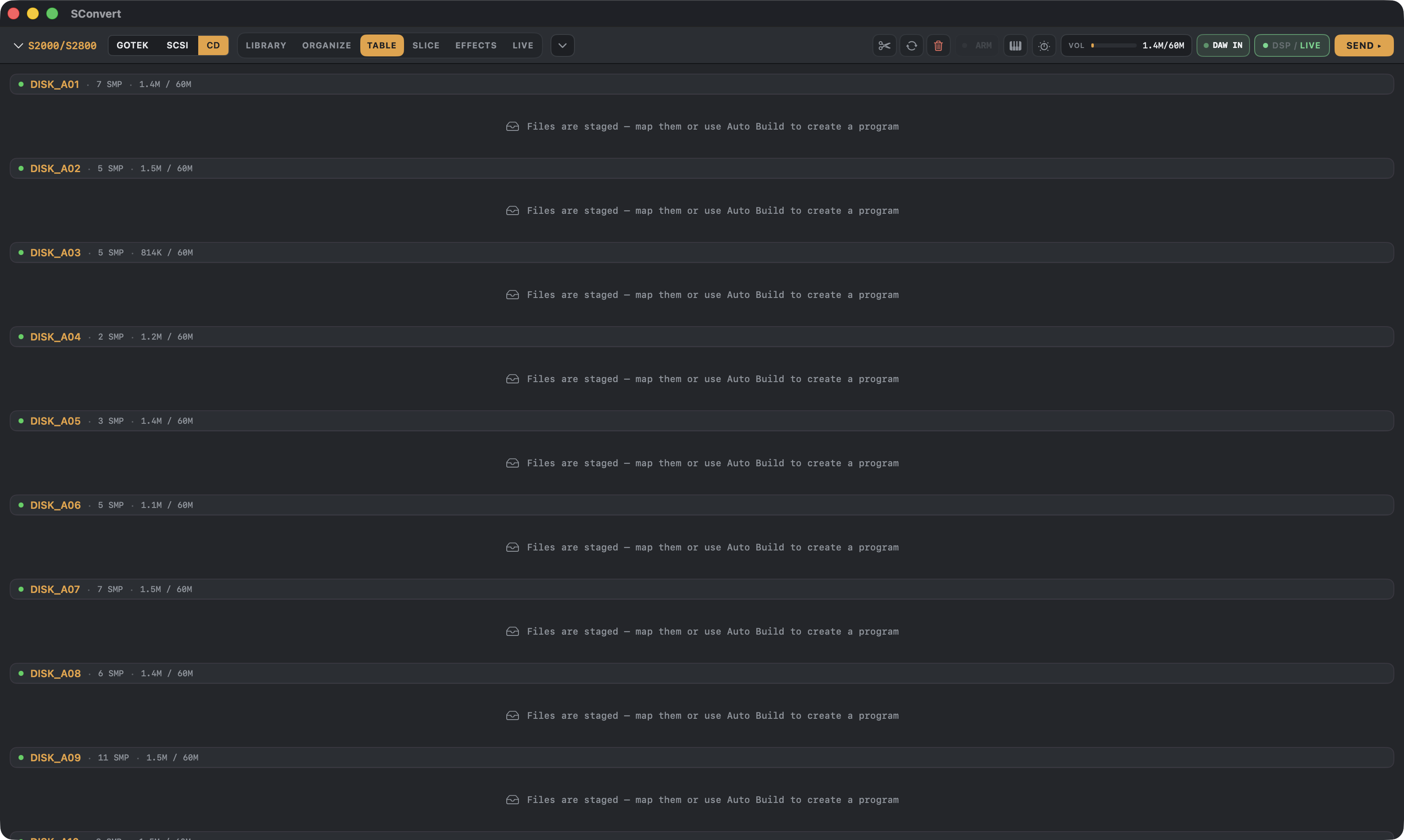
Hardware
Made for the machines you actually own
Write floppy images for Gotek drives and SCSI drive images for ZuluSCSI, BlueSCSI and PiSCSI. Sync to SD cards — or go direct into sampler RAM over USB-C with ZBridge, then play and tweak the hardware live over MIDI.
- S900Floppy image (Gotek)
- S950Floppy + SCSI images
- S1000Floppy + SCSI images
- S1100Floppy + SCSI images
- S2000 / S2800Floppy, SCSI + CD-ROM* images
- S3000 / S3200 / XLFloppy, SCSI + CD-ROM* images
- S5000 / S6000**AKP programs + WAV folders
* CD-ROM output is a work in progress.
** S5000/S6000 support is limited today — fuller support is planned.
Loaded and checked on Brendan's own S950 · S1100 · S3200XL. The other S-series models share those writers but have not had their own hardware pass yet — per-model status.
Fresh from the channel
Latest videos
Community
Come hang with the sampler people
Workflow questions, hardware setups, and first-load victory laps — the S-Convert Facebook group is where users compare notes, and new builds get announced on YouTube.
READY TO LOAD
Stop fighting 30-year-old floppies.
One-time purchase. Runs on macOS 14 (Sonoma) and later, Apple Silicon. Existing Payhip customers upgrade free — here's how.